

What Is Time Tracking Software and How Does It Function?
Time tracking software helps you see how workers spend their time at work. These tools let staff clock in, clock out, log jobs, and track breaks. With live data, you can manage shifts, watch tasks, and run payroll with ease.
Most time tracking tools work in the cloud. This means you can access them from anywhere. Whether your team is remote, hybrid, or in-office, a good time-tracking app keeps everyone in sync.
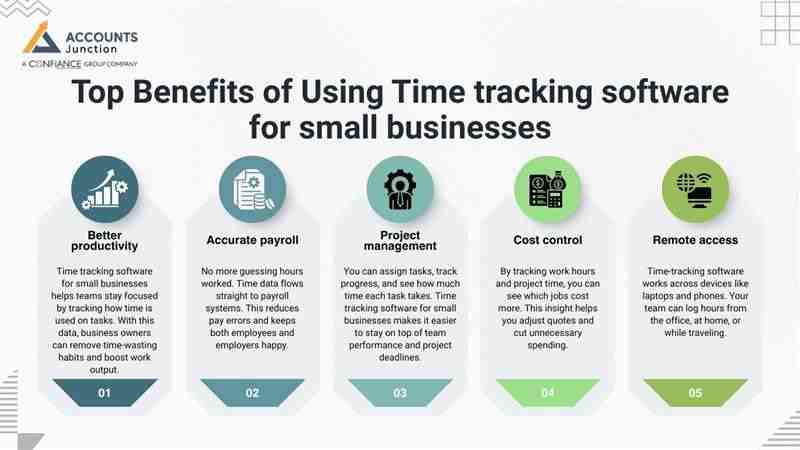
Top Benefits of Using Time tracking software for small businesses
Better productivity
- Time tracking software for small businesses helps teams stay focused by tracking how time is used on tasks. With this data, business owners can remove time-wasting habits and boost work output.
Accurate payroll
- No more guessing hours worked. Time data flows straight to payroll systems. This reduces pay errors and keeps both employees and employers happy.
Project management
- You can assign tasks, track progress, and see how much time each task takes. Time tracking software for small businesses makes it easier to stay on top of team performance and project deadlines.
Cost control
- By tracking work hours and project time, you can see which jobs cost more. This insight helps you adjust quotes and cut unnecessary spending.
Remote access
- Time-tracking software works across devices like laptops and phones. Your team can log hours from the office, at home, or while traveling.
Best Time Tracking Software to Consider in 2025
1. TSheets
TSheets is a simple time-tracking application that works well for both small and large businesses. It allows tracking in real-time, no matter where you are.
Key Features:
- Manual and automatic timesheet options: Choose to enter time yourself or let the app track it in the background.
- Time-off and leave tracking: Keep tabs on vacation days and sick leave in one place.
- Free support by phone and live chat: Quick help is always available when you need it.
- Mobile-friendly for on-the-go tracking: You can use the app on mobile devices to clock in from any location.
Pricing:
- 1–99 users: $20/month base + $5/user
- 100+ users: $100/month base + $5/user
2. Boomr
Boomr helps managers track staff time and improve daily operations. It’s an efficient option for businesses, whether small or large.
Key Features:
- Real-time check-in/check-out: Employees clock in and out as they start or end their shifts.
- Tracks breaks and overtime: Accurately logs unpaid breaks and overtime hours.
- Built-in messaging tools: Communicate with staff and teams without switching apps.
- Syncs with payroll and billing system: Save time and avoid errors by linking time data with payroll tools.
Pricing:
- 1 Person: Free
- 2–5 Users: $19/month
- 6–10 Users: $39/month
- 16–20 Users: $79/month
- 21+ Users: $4/month per user
3. Ebility (Time Tracker)
Ebility helps small teams track time for payroll and billing. It simplifies time logs and keeps records clean and organized.
Key Features:
- Simple interface with mobile access: Easy for anyone to use, even on smartphones and tablets.
- Supports daily and bulk time entries: Log single days or enter multiple hours at once.
- Auto-calculates overtime and breaks: Saves time by doing the math for you based on logged hours.
Pricing:
- Plan 1: $4/user + $8 base/month
- Plan 2: $8/user + $16 base/month
- Plan 3: $12/user + $16 base/month
4. Harvest
Harvest is a full-featured time-tracking application built to manage teams, projects, and costs. It fits small and large businesses alike.
Key Features:
- Track time with one click: Start and stop timers with ease and precision.
- Weekly timesheet updates: View and edit your week’s time entries in one place.
- Works on Mac, PC, iOS, and Android: Your team can log time from any device.
- Send invoices and get paid faster: Bill clients directly from tracked hours with one click.
- Integrates with Asana, JIRA, Basecamp, QuickBooks, and more: Connect with your favorite business tools to streamline workflow.
Pricing:
- Free Plan: $0/month (1 user, 2 projects)
- Solo Plan: $12/month (1 user, unlimited projects)
- Team Plan: $12/user/month (2+ users, unlimited projects)
5. Deputy
Deputy is a trusted time-tracking and scheduling platform. It’s used worldwide by businesses looking to manage shifts and teams easily.
Key Features:
- Smart employee scheduling: Build shifts and share them with staff in just a few clicks.
- Tracks clock-ins and breaks: Know when staff start, take breaks, and finish work.
- Mobile apps and kiosk check-ins: Employees can log in via phone, tablet, or office kiosks.
- Internal newsfeed for updates: Keep everyone in the loop with team-wide announcements.
- Advanced reporting options: Get insights on hours worked, shift costs, and trends.
Pricing:
- Starter: $1/month/user
- Premium: $3/month/user
- Enterprise: Custom quote for large or complex teams
Common Mistakes to Avoid When Using Time Tracking Software
Not training staff
- If employees don’t know how to use the tool, the time data will be wrong. Train your team from the start for the best results.
Over-monitoring
- Tracking is not spying. Don’t use these tools to control employees too much—it can hurt trust and morale.
Ignoring the data
- Time logs give you key insights. Don’t just collect them—review reports and make changes based on what you learn.
Failing to update
- Software updates fix bugs and add features. Always use the latest version to stay secure and productive.
Not setting clear expectations
- It’s an efficient option for businesses, whether small or large. Without clear guidelines, confusion and errors can arise.
Relying on manual entry too much
- While manual entry can be helpful, it’s prone to human error. Allow automation to do the work whenever possible to improve accuracy.
How to Choose the Right Time Tracking Application for Your Team
Know your needs
- This is the first feature of the time-tracking application. It provides features like mobile apps, task tracking, or payroll sync before you choose a tool. This ensures the software meets your team’s unique needs.
Set your budget
- Time-tracking applications come in many price ranges. Know what you can spend before signing up. Choose a plan that gives you the features you need without overspending.
Test first
- Try free plans or demos before you buy. See if the tool fits your team’s workflow. Testing ensures you won't commit to a tool that doesn't work well for your business.
Check for support
- Good customer service makes a big difference. Always have support ready when you need it. Fast support saves time and avoids costly delays if issues arise.
Read reviews
- Learn from other users’ feedback. Choose tools that small business owners trust and rate highly. Reviews can help you avoid common problems and make a smarter choice.
Best Practices for Using Time Tracking Software Effectively
Even the best software may fail if used incorrectly. Following a few best practices can maximize its value.
1. Train Your Team
- Make sure employees know how to log hours correctly. Misuse may result in inaccurate data.
2. Avoid Over-Monitoring
- Time tracking should support productivity, not create distrust. Avoid tracking every second of work.
3. Review Data Regularly
- Time logs provide insights. Use them to adjust workloads, identify trends, and improve efficiency.
4. Update Software
- Keep your tools updated to fix bugs and access new features.
5. Set Clear Guidelines
- Define expectations for logging hours and breaks. This avoids confusion.
6. Use Automation Where Possible
- Let automatic timers and reminders handle routine tasks to reduce errors.
Following these best practices may help teams get the most out of time tracking software without feeling micromanaged.
Time tracking tools can help small businesses work smarter, run payroll better, and manage projects with less stress. By picking the right tool and avoiding common mistakes, your team can save time and money.
Account Junction offers insights that can help you understand and compare time-tracking tools to find what works best for your business.
FAQ
1. What is the best time-tracking software for small businesses in 2025?
- Top choices include TSheets, Boomr, Ebility, Harvest, and Deputy, offering features for payroll, task management, and reporting.
2. How does time tracking software improve small business productivity?
- It shows how employees spend time, identifies inefficiencies, and helps managers plan tasks better.
3. Can small businesses manage payroll with time tracking software?
- Yes, most tools automatically sync hours to payroll, reducing errors and saving time.
4. Which time-tracking apps work well for remote teams?
- Cloud-based tools like TSheets, Boomr, and Harvest allow employees to log hours from anywhere.
5. Does time tracking software help with project management?
- Yes, you can track hours per task, monitor project costs, and ensure deadlines are met.
6. Are there mobile-friendly time tracking apps for small businesses?
- Yes, most apps work on Android and iOS, letting staff clock in and out on the go.
7. How do time tracking apps calculate overtime and breaks?
- Advanced software automatically logs breaks and calculates overtime based on logged hours.
8. Can time tracking software integrate with accounting tools?
- Yes, integrations with QuickBooks, Xero, and other accounting software simplify billing and reporting.
9. Is it easy to train employees on time tracking software?
- Most apps have simple interfaces, tutorials, and mobile access for quick adoption.
10. How much does time tracking software cost for small teams?
- Pricing varies from free plans for 1–5 users to $12–$20 per user for advanced features.
11. Can time tracking software help reduce project costs?
- Yes, by showing exactly how long tasks take, you can avoid overspending and adjust budgets.
12. Do time tracking apps support multiple devices?
- Yes, they usually work on PCs, Macs, tablets, and smartphones.
13. Can managers generate reports from time tracking software?
- Yes, reports show hours worked, project progress, and team productivity trends.
14. How does time tracking software help with client billing?
- You can convert tracked hours into invoices automatically, saving time and avoiding mistakes.
15. Do small businesses need automatic or manual time tracking?
- Automatic tracking reduces errors, while manual entry can be used for flexibility or corrections.
16. Can time tracking software improve employee accountability?
- Yes, staff can see logged hours and tasks, encouraging focus without feeling micromanaged.
17. Is time tracking software secure for small businesses?
- Most cloud tools use encryption and secure servers to protect company and employee data.
18. Can time tracking apps notify employees about deadlines or schedules?
- Yes, notifications, reminders, and scheduling features help staff stay on track.
19. Do time tracking tools work for hybrid teams?
- Absolutely, cloud access lets employees log time whether in-office, remote, or on the move.
20. How can small businesses choose the right time tracking software?
- Compare features, pricing, mobile access, payroll integration, and user reviews to pick the best fit.