
Accounts Payable Process
Payable is the money the company owes to its vendors in case of non-payment for the supplies. Although it is a short term loan that needs to be paid-off in short duration, it demands to be treated properly. In case otherwise, it can badly affect the company’s financial statements.
Accounts payable process is a well-defined process that makes managing payment to vendors on time. In this blog, we will understand the complete accounts payable process. Let’s have a look at every step involved in the accounts payable process so businesses can manage vendor payments smoothly.
Understanding the Complete Accounts Payable Process
These steps form the foundation of a strong accounts payable process that keeps payments accurate and on time.
1. Requirement Raised
The department that needs an item sends a request to the procurement team. This request starts the purchase process.
2. Supplier Quotation (RFQ)
Once procurement receives the requirement, it reaches out to suppliers for quotes. This step is known as RFQ (Request for Quotation). Suppliers share prices, terms, and delivery details.
Processing of the Payable Data
Once a vendor is selected and goods arrive, the second phase of the accounts payable process begins.
1. Purchase Order and Goods Receipt
After the supplier is selected, a Purchase Order (PO) is issued. When the supplier delivers the goods, the company receives the items along with an invoice. Goods are checked, counted, and accepted in the system.
2. Invoice Recording
The invoice is recorded in the books as a liability. Different firms record invoices in different ways. Some enter them manually, while others use automated software that scans, emails, or imports invoices. Less paper and more automation make the process faster and cleaner.
Accurate invoice entry ensures the accounts payable process moves to approval and payment smoothly.
3. Payment and Liability Clearance
The invoice is paid on or before the due date. When the payment is made, the liability reduces by that amount, and the entry is closed.
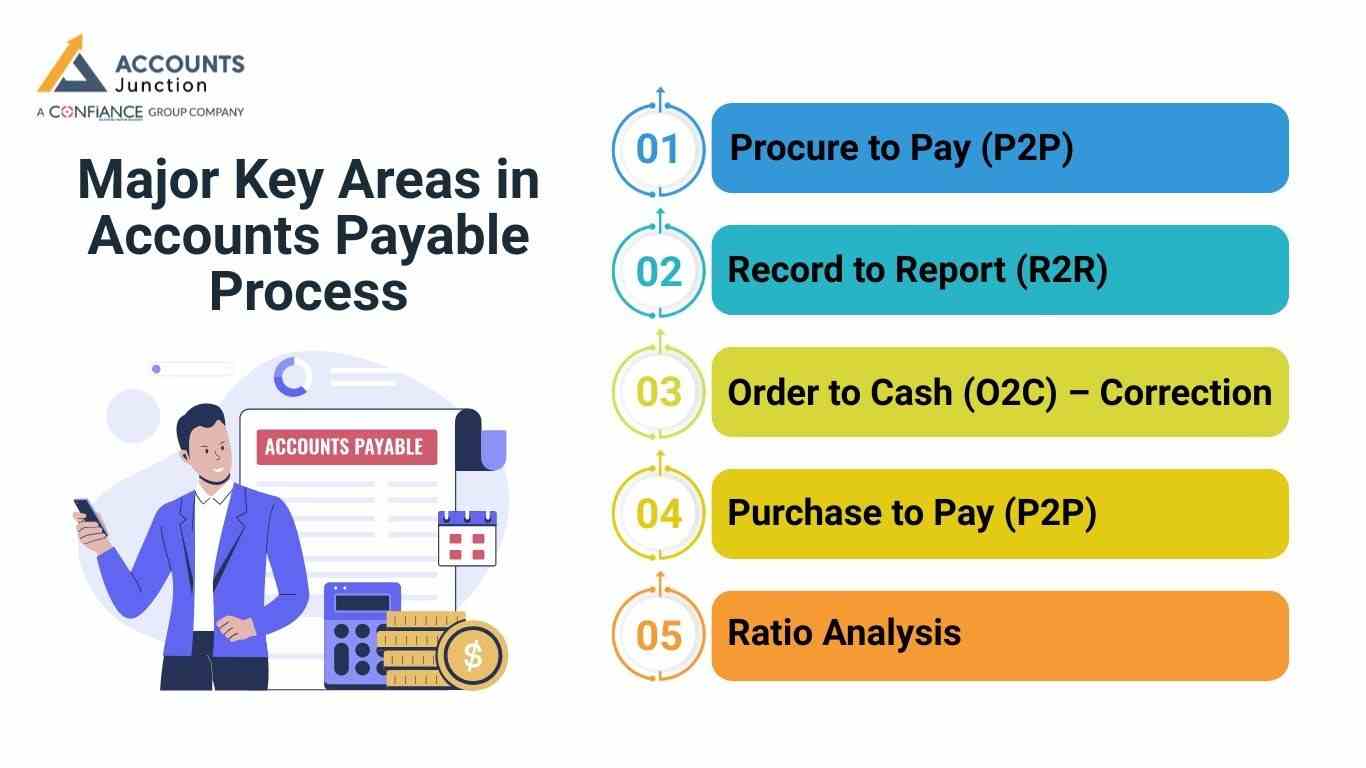
Major Key Areas in Accounts Payable Process
1. Procure to Pay (P2P)
This covers the full cycle from raising a need, selecting a supplier, receiving goods with an invoice, recording the liability, and paying the supplier.
It ensures goods are received on time and suppliers are paid on schedule.
2. Record to Report (R2R)
Every credit purchase is recorded to keep the financial statements accurate. This process ensures all accounts payable entries reflect the true cost and liability of the business.
3. Order to Cash (O2C) – Correction
This process does not relate to accounts payable. Order to Cash refers to customer orders and incoming payments, not supplier payments. So it should not be included as part of accounts payable. If you want a related process for payables, the correct one is:
4. Purchase to Pay (P2P)
This is another name for Procure to Pay and fits accounts payable.
5. Ratio Analysis
Accounts Payable plays a key role in liquidity ratios like the current ratio and quick ratio. Since payables are part of current liabilities, they must be recorded with care. Accurate AP figures help assess short term financial strength.
Accounts Payable Workflow
The full accounts payable process follows a structured workflow made up of the steps below.
1. Purchase Requisition (PR) Creation
The AP flow starts when a team needs goods or a service.
- The team sends a PR with item name, count, and reason.
- A manager checks the need and gives the OK.
- The PR then goes to the buy team.
2. Supplier Selection and Approval
Now the firm picks the right vendor.
- Prices and terms from many vendors are checked.
- The team looks at tax data, bank data, and past deals.
- The chosen vendor is set in the vendor list.
- The buy team and the accounts team get the update.
3. Purchase Order (PO) Creation
After the vendor is set, the team sends a PO.
- The PO has item specs, rate, tax, and due date.
- The vendor reads it and gives a clear yes.
- The PO then stands as a deal.
- A copy goes to accounts for later match work.
4. Goods Received Note (GRN) or Delivery Check
This step shows that goods came in good shape.
- The store team checks the goods.
- They see if size, count, and state are as per the PO.
- They make a GRN and add it to the system.
- The GRN is proof of goods or work done.
5. Invoice Match (2-Way or 3-Way Match)
Match work helps stop gaps and wrong pay.
- 2-Way: PO and invoice.
- 3-Way: PO, GRN, and invoice.
- The team checks rate, count, tax, and the end amount.
- Gaps are sent back to fix.
6. Invoice Approval Flow
All invoices need the right stamp before pay.
- The team adds the invoice to the AP tool.
- It goes to the head of the user team for a check.
- Big bills go to senior heads.
- Once OK, the invoice moves to the pay list.
7. Payment Schedule
The team plans which bills to pay first.
- Bills are set by due date and terms.
- The team checks cash on hand.
- Early pay cuts or late fee risks are seen.
- Pay runs are set for each week or month.
8. Payment Process
Now the vendor is paid.
- Pay is made by bank mode like NEFT, RTGS, or IMPS.
- A pay note is sent to the vendor.
- Status is set in the system.
- Pay slips are saved for audit.
9. Ledger Post and Reco
The last step is to set the books right.
- The team posts the invoice and pay entry.
- Vendor books get all debits and credits.
- Vendor sheets are checked with firm books.
- All gaps are fixed at month end.
Common Challenges in AP
1. Manual Data Errors
- Keyboard errors can cause wrong sums and slow work.
2. Slow Approvals
- Hold ups lead to late pay and stress with vendors.
3. Lost Invoices
- Lost bills lead to late fees and wrong vendor sums.
4. Duplicate Pay
- The same bill gets paid twice due to poor checks.
5. Weak Vendor Talk
- Poor updates bring stress and low trust.
6. Fraud Risks
- Fake bills and wrong bank data can cause huge loss.
7. Low Track and View
- Teams can’t see due bills or cash needs on time.
These issues often break the accounts payable process and lead to late fees or vendor disputes.
Best Practices for Strong Accounts Payable Process
Follow these best practices for strong accounts payable process:
1. Use 3-Way Match
- Stops fraud and wrong pay.
2. Set Clear Approval Rules
- Makes flow fast and safe.
3. Keep Vendor Data Clean
- Stops pay to wrong vendors and cuts tax issues.
4. Do Vendor Reco Each Month
- Helps find gaps and lost bills.
5. Use Pay Terms Well
- Take early pay cuts and avoid late fees.
6. Use AP Auto Tools
- Cuts manual work and boosts speed.
Our AP Services
We handle all AP steps for you with care and speed.
Our team offers:
- Vendors add and clean up.
- PR and PO support if you need it.
- Invoice scan, check, and match.
- Full approval flow setup.
- Pay plan and pay help.
- Vendor ledger care.
- Month end close and all reports.
- AP age view and cash view.
- Vendor talk and query solve.
Benefits Automated Payables Management Provides
- Faster Processing Of Payables: Automated payable accounting benefits you with more efficiency. It eliminates the mundane task of manually entering every single entry.
- Keeping The Vendor Happy: Automated payable accounting alerts you for due dates or even integrates with your banking software that automatically makes payments. Early payments maintain healthy relations with the vendors.
- Early Payment Discounts: Healthy relations with the vendors can, sometimes, also grant you discounts for early payments against the orders in future.
- Reducing Errors On Payables: As automated payable accounting software scans the invoices for making entries, the possibility for the errors is almost nil.
- Dashboard Reports For CFO: Automated softwares helps in preparing Dashboards. These are very useful for the CFOs. It helps them keep track of the departments that are lacking in finance or which one has more than sufficient.
- Reducing Duplicate Payments: Automation cross-checks every invoice from the respective departments before making any entry. So, there’s no place for double entry or duplicate payments made.
Softwares Helpful For Managing Account Payables
- Bill.com: Bill.com (www.bill.com) is basically cash flow management software. It offers you cloud based payment. It offers you many handy features, all at the same time. Giving any vendor a hard copy of the invoices, if they ask for it. Allowing access to many people, along with the accountant. So that, if there’s need for someone’s approval, it can be done without any delay. It makes syncing with the accounting and banking softwares easy.
- Receipt Banks using Xero: Receipt Banks,(www.receipt-bank.com) with the help of OCR technology scans your invoices and bills and takes out the information about the payables. It then integrates and transfers the data to the accounting softwares like Xero. Xero offers you cloud-based accounting that almost ends the paper work. It is also very cost and time efficient.
Call to Action
Accounts Junction helps businesses improve their Accounting Payable Process by managing invoices, approvals, and payments in a simple and reliable way. Our expert team keeps records accurate, supports timely reporting, and helps maintain healthy cash flow. We tailor payable solutions to your needs so you avoid delays, reduce errors, and stay financially organized. Get started today and experience a smoother, more efficient accounting payable process for your business. Today.!
FAQs
1. What is the accounts payable process?
The accounts payable process is how a business receives, checks, approves, and pays vendor invoices for goods or services it has received.
2. What are the steps in accounts payable?
The steps include invoice receipt, invoice verification, approval, recording the invoice, making the payment, and updating records.
3. Why is the AP process important?
The AP process helps businesses manage cash flow, pay vendors on time, avoid penalties, and keep accurate financial records.
4. What are common accounts payable mistakes?
Common mistakes include late payments, duplicate payments, data entry errors, missing approvals, and poor invoice tracking.
5. What is AP?
AP is the amount a business owes its vendors for goods or services received.
6. How does the accounts payable process help cash flow?
It helps track what the business owes, plan payments, avoid late fees, and keep cash available for longer. Good AP flow keeps cash steady and controlled.
7. What is the first step in the accounts payable process?
It starts when a department raises a need. This request goes to procurement, and vendor search and pricing begin.