
How an Independent Contractor Tax Calculator Helps You Plan Better
Independent contractors often find taxes hard to handle. Unlike full-time workers, taxes are not taken from pay. Contractors must track all money earned and money spent. They also need to follow tax rules for each year. Doing all this by hand can feel hard. An Independent contractor tax calculator can help make things simple. Using an Independent contractor tax estimator lets contractors see how much tax they may owe. It helps plan for payments, track costs, and save money.
Early use of an independent contractor tax calculator reduces stress and keeps finances in order. Contractors who use it can plan better and feel more confident. This simple step makes tax work much easier.
Why Every Contractor Needs an Independent Contractor Tax Calculator
Independent contractors get money from many clients. Taxes are not taken automatically. Using a calculator helps avoid mistakes.
-
See Taxes Early
A tax calculator shows how much tax may be due. Contractors can set aside money for each payment.
-
Plan Quarterly Payments
Taxes are due four times each year. Paying on time avoids extra fees and fines.
-
Track Costs Clearly
An independent contractor tax calculator can track costs like tools, travel, and office space to lower taxes owed.
-
Save Time and Avoid Mistakes
Doing math by hand can be slow and wrong. A calculator gives fast and correct results.
-
Avoid Year-End Surprises
Knowing taxes early prevents stress at filing time. Contractors can plan budgets and save money safely.
How an Independent Contractor Tax Estimator Works
An Independent contractor tax estimator uses money earned and costs to estimate taxes owed.
1. Add All Income
Enter all payments from clients or side jobs. Correct income helps get close to the Independent contractor tax estimator results.
2. Add Business Costs
Include office rent, software, tools, and travel. Costs lower taxable income and reduces total tax.
3. Pick Filing Status
Choose single, married, or head of household. Using an independent contractor tax calculator helps see how filing type affects tax rates and final amounts.
4. Include Self-Employment Tax
Social Security and Medicare are added automatically. An independent contractor tax calculator helps include these taxes accurately.
5. See Estimated Tax
The tool shows yearly or quarterly taxes owed. Contractors can plan payments and manage cash well.
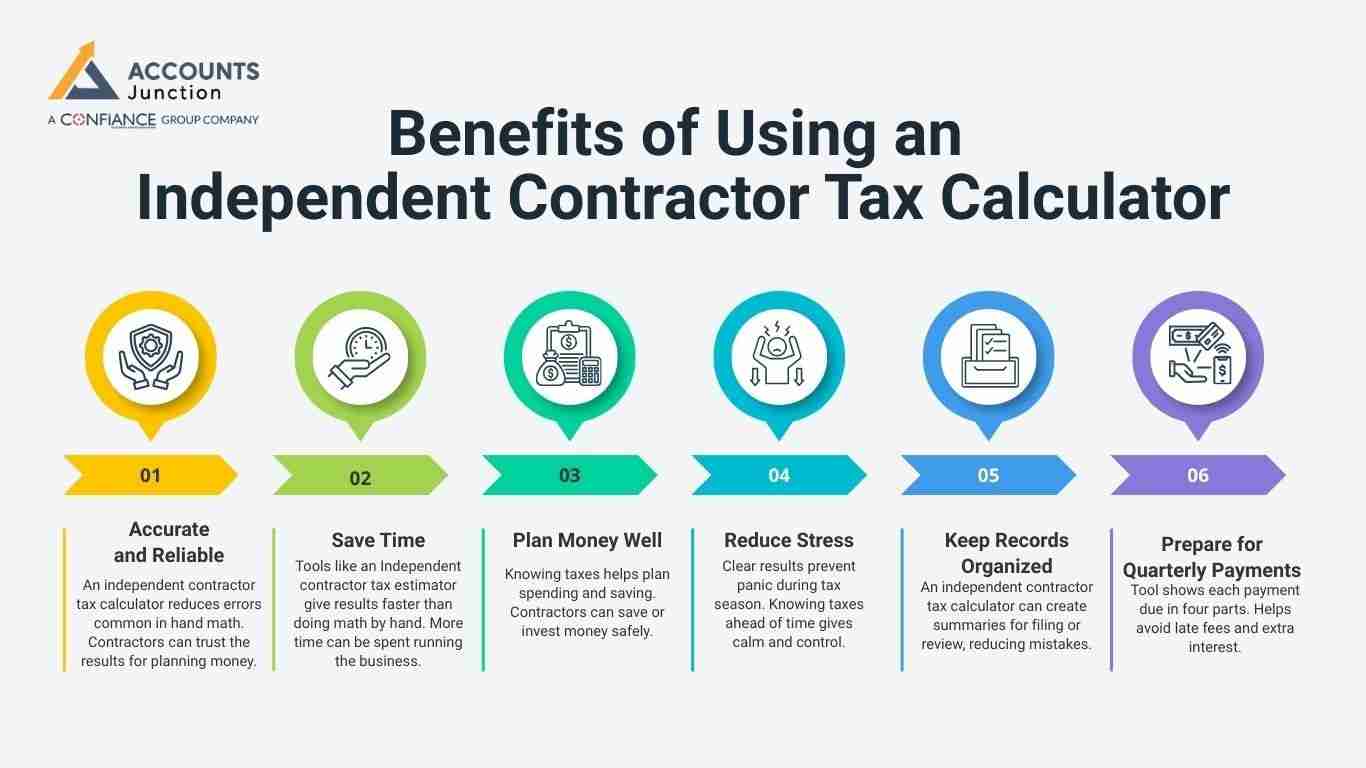
Benefits of Using an Independent Contractor Tax Calculator
Digital tools may seem new, but they give many benefits.
-
Accurate and Reliable
An independent contractor tax calculator reduces errors common in hand math. Contractors can trust the results for planning money.
-
Save Time
Tools like an Independent contractor tax estimator give results faster than doing math by hand. More time can be spent running the business.
-
Plan Money Well
Knowing taxes helps plan spending and saving. Contractors can save or invest money safely.
-
Reduce Stress
Clear results prevent panic during tax season. Knowing taxes ahead of time gives calm and control.
-
Keep Records Organized
An independent contractor tax calculator can create summaries for filing or review, reducing mistakes.
-
Prepare for Quarterly Payments
Tool shows each payment due in four parts. Helps avoid late fees and extra interest.
Key Features to Look for in a Tax Calculator
The best Independent contractor tax calculator has simple, useful features.
-
Easy to Use
Clear input and layout reduce mistakes. Even new users can calculate taxes without stress.
-
Updated Rules
Must have the latest tax rules and rates. Old tools may give wrong tax results.
-
Track Costs
Can add office, travel, tools, and minor costs. Helps make sure all deductions are included.
-
Include Self-Employment Tax
Social Security and Medicare are added automatically. Makes planning payments simpler and safer.
-
Quarterly Estimate Feature
Shows all four payments due in a year. Helps keep money ready for each deadline.
-
Reports and Summaries
Export summaries for records or filing purposes. Useful for audits or quick review by contractors.
How to Use a Tax Calculator in Your Routine
Using the calculator regularly gives reliable results.
1. Track Income Monthly
- Add all client payments every month. Monthly tracking keeps estimates close to real taxes.
2. Record Costs Often
- Track office, travel, and tool costs each month. Helps claim all deductions and reduce taxes owed.
3. Check Before Payments
- Use an independent contractor tax calculator to review estimates before sending quarterly taxes. This ensures amounts are correct and on time.
4. Update for Income Changes
- Use an independent contractor tax calculator to adjust for income changes and keep estimates accurate.
5. Review at Year-End
- Compare estimates with real taxes paid. Helps plan better for next year and avoid mistakes.
Common Mistakes Independent Contractors Make
Even with calculators, errors happen if used poorly.
-
Skip Self-Employment Tax
Social Security and Medicare are often missed. Missing them causes fines and extra payments.
-
Forget Cost Entries
Not recording costs raises taxable income. Detailed tracking ensures all deductions are claimed.
-
Late Quarterly Payments
Must pay four times yearly on schedule. Late payments cause fines and extra interest.
-
Wrong Income Estimates
Keep income records updated for accuracy. Helps avoid paying too much or too little tax.
-
Use Old Calculators
Old tools may miss new rules. Always use the current software for correct results.
Tips for Using a Tax Estimator Well
-
Update Income Monthly
An Independent contractor tax estimator gives more accurate monthly tax estimates, preventing surprises.
-
Track Every Cost
Add office, travel, and small costs each month. Ensures full deductions and lower taxes owed.
-
Try Different Scenarios
Check high and low income months separately. Prepares for changes in earnings during the year.
-
Keep Digital Receipts
Save invoices and receipts for records. Helps support deductions and filing smoothly.
-
Ask a Tax Expert
A professional can check results and advise correctly. Combines calculator use with expert advice for safety.
The Role of a Tax Estimator in Planning Money
Planning money is more than paying taxes.
-
Plan Savings
An independent contractor tax calculator helps predict taxes to save money for needs like bills or future goals.
-
Control Spending
Knowing taxes helps spend money smartly. Prevents overspending and keeps budgets safe.
-
Prepare for Growth
Accurate estimates support safe business growth. Money can be set aside for tools or projects.
-
Reduce Risk
Avoid fines by guessing taxes early. Gives calm and control of money all year.
Understanding Tax Duties for Independent Contractors
Independent workers have tax duties that differ from those of normal workers. Knowing them helps plan money with an Independent contractor tax calculator. Tracking pay and costs each month keeps your money in order.
1. Income Tax Basics
- Tax is owed on all money earned from freelance work. Count every payment, even small ones from side jobs.
- Use an Independent contractor tax estimator to see yearly tax needs. This helps save money before payment dates.
- Tax depends on total pay minus costs for work. Tracking costs helps pay less tax legally.
- Your tax form status changes how much you pay. Pick the correct status to lower the total tax.
2. Self-Employment Tax
- Workers pay self-employment tax for Social Security and Medicare. This is extra, not part of income tax.
- The Independent contractor tax calculator adds this automatically. It helps avoid missing payments and fines.
- Tax is based on earned money minus work costs. Deducting costs gives a clear tax amount.
- Paying every quarter avoids extra fees or fines. On-time pay keeps your finances safe.
3. Work Costs You Can Deduct
- Costs like home office, travel, and tools cut taxable income. Small costs add up if tracked each month.
- A tax estimator counts deductions as you add them. This keeps planning easy all year.
- Keep bills and receipts for proof if needed. Records help during checks or audits.
- Missing small costs can raise the tax you pay. Track all costs to pay only what is due.
4. Quarterly Tax Payments
- You pay taxes four times each year. Each pay matches income for that time.
- A tax calculator shows the right amount to pay. This keeps payments correct and avoids mistakes.
- Paying late brings fines and interest. Timely pay protects your business's money.
- Regular checks with an independent contractor tax calculator stop underpayment at year-end. Watching income helps adjust for changes.
5. State and Local Taxes
- Some states charge an extra tax on independent workers. Learn the rules to avoid surprise bills.
- A tax estimator often adds state taxes, too. You see total taxes, not just federal ones.
- Local taxes may apply in your city or town. Even small fees change net pay.
- Plan ahead to avoid state tax bills. This helps manage cash flow each month.
Advanced Ways to Use a Tax Calculator
An independent contractor tax calculator does more than give tax estimates. It helps plan cash, savings, and business growth.
1. Compare Different Cases
- Check taxes for low, medium, or high income. See months when tax may rise.
- Test new client work to check tax effect. Plan so taxes are ready in advance.
- Pick projects that keep more money after tax. Some work is more tax-friendly than others.
- Adjust savings when income changes. Save more in high months, less in low months.
2. Track Many Clients
- Add income from all clients for totals. Prevent missing any earnings in reports.
- Track costs for each client separately. Keep deductions correct for each job.
- Do not count costs twice. Double entries may cause errors or fines.
- Keep clear records for tax checks. Organized files make reporting simple.
3. Retirement Planning
- Check how taxes affect savings in an IRA or 401(k). Saving early also cuts the tax you pay.
- Use the Independent Contractor Tax Estimator to plan savings. See how contributions change tax due.
- Saving more can lower taxes owed. Planned saving can save thousands each year.
- Plan for long-term money security. Early work helps meet retirement goals safely.
4. Cash Flow Planning
- Plan monthly cash needs after tax. Avoid running out when bills are due.
- Find months needing extra savings. Prepare for low-income periods ahead.
- Stop shortfalls at tax time by setting aside enough money. Good planning avoids fines or loans and keeps cash safe.
- Keep a money buffer each month. A buffer gives peace and cuts stress.
5. Business Growth Decisions
- Check tax effect before hiring help. New workers can raise tax bills fast.
- Predict taxes for new income streams. Use the estimator to see the total effect.
- Plan purchases with a tax calculator. Tools, office, or marketing costs can be planned.
- Avoid surprises that cut profits. Good estimates keep business stable.
6. Audit Prep
- Keep old data from the tax estimator. Past records show steady tax tracking.
- Provide proof of correct tracking. Organized data helps during audits.
- Find errors before filing to prevent bigger problems later. Early checks stop mistakes or fines.
- Lower audit risk with proper files. Clear data shows you follow rules.
An Independent contractor tax calculator is a simple tool to plan money. Contractors using an Independent contractor tax estimator can estimate taxes, track costs, and reduce stress.
Accounts Junction helps contractors with tools and guidance for tax work. Our support lets users plan budgets, pay taxes on time, and save money. Using a trusted calculator with Accounts Junction gives accurate results and clear control.
Contractors gain confidence, avoid mistakes, and manage money smartly all year. We have certified staff to check all work. Partner with us for safe and clear tax and money work.
FAQs
1. How does an independent contractor tax calculator help with quarterly taxes?
- It shows your tax amount clearly and helps you plan payments. It also makes sure enough money is ready for each due date.
2. Can an independent contractor tax estimator show deductions automatically?
- Yes, it counts common costs like office rent and travel. This helps you claim all valid costs without missing any.
3. Will a tax calculator prevent underpayment penalties?
- It shows your tax needs and lowers the chance of fines. Using it keeps payments in line with IRS rules.
4. How often should contractors update the tax estimator?
- Update your income and costs each month for clear results. Doing this keeps your estimated taxes close to what you owe.
5. Can a tax calculator assist with year-end tax filing?
- Yes, it sums income and costs for easier filing. It also shows taxes owed or any refund you may get.
6. Is the independent contractor tax calculator useful for fluctuating income?
- Yes, it lets you plan for changes in monthly or project pay. You can change the numbers as your work or pay changes.