
What is Xero bookkeeping?
Xero bookkeeping has changed how businesses manage their financial records. It makes the process easier and more efficient. Apart from recording transactions, it uses cloud technology to streamline, automate, and improve financial visibility. Xero cloud accounting replaces traditional paper-based and desktop bookkeeping.
The "cloud-based" nature of Xero is fundamental. Your financial data is securely stored online, not just on a local computer. This accessibility offers several key advantages. Firstly, it provides real-time access to your financial information from any device with an internet connection, whether it's a laptop, tablet, or smartphone. This flexibility is invaluable for business owners who are often on the go or need to collaborate with remote team members or accountants.
Why Choose Xero Bookkeeping Software?
Every business desires to succeed. But, it is not possible with efficient financial management. Xero bookkeeping software is a top choice for businesses seeking a reliable cloud-based accounting solution.
Key Benefits of Using Xero Bookkeeping Software:
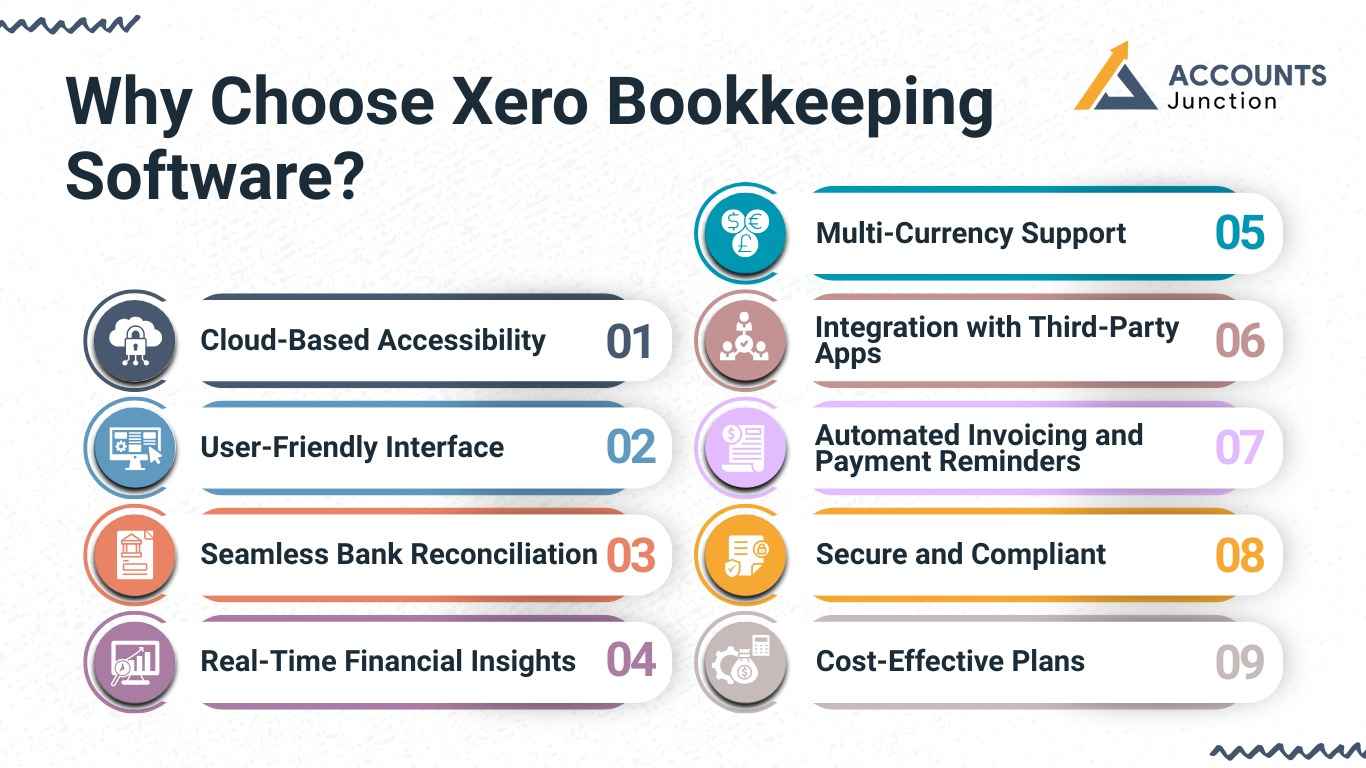
- Cloud-Based Accessibility: Xero operates entirely in the cloud, allowing business owners and accountants to access financial data from anywhere, at any time. Whether you’re at the office, traveling, or working remotely, your books remain up to date.
- User-Friendly Interface: Designed for both accounting professionals and business owners, Xero offers an intuitive and easy-to-navigate interface. Even those with limited accounting knowledge can manage financial records effectively.
- Seamless Bank Reconciliation: Xero automatically imports and categorizes bank transactions, making bank reconciliation a breeze. This feature reduces manual errors and saves significant time on bookkeeping tasks.
- Real-Time Financial Insights: Stay on top of your finances with real-time financial reports and dashboards. Xero allows users to track cash flow, profits, expenses, and invoices effortlessly, ensuring informed decision-making.
- Multi-Currency Support: For businesses operating globally, Xero’s multi-currency feature is invaluable. It supports over 160 currencies, providing automatic exchange rate updates to facilitate international transactions.
- Integration with Third-Party Apps: Xero integrates seamlessly with over 1,000 third-party applications, including payment gateways, inventory management systems, and CRM tools. This allows businesses to customize their financial management processes to suit their needs.
- Automated Invoicing and Payment Reminders: Create professional invoices quickly and automate payment reminders to ensure timely collections. This feature helps improve cash flow and reduces the hassle of chasing payments.
- Secure and Compliant: Xero ensures the highest level of data security with multi-layered encryption and compliance with financial regulations. Business owners can rest assured that their financial information is safe and secure.
- Cost-Effective Plans: Xero provides a range of pricing plans designed to suit businesses of all sizes. Whether you’re a freelancer, small business, or enterprise, you can find a plan that fits your budget.
How a Xero Bookkeeper Can Improve Business Finances
Xero is user-friendly, but a skilled bookkeeper ensures accurate and up-to-date financial records. They customize Xero to fit your business needs, ensuring accurate data capture and organization.
A Xero bookkeeper helps analyze your finances and offers useful insights into your business performance. They can generate detailed reports and analyses, helping you identify trends, track expenses, and make informed business decisions. A Xero bookkeeper manages payments and invoices to ensure timely transactions. This helps improve your cash flow and maintain healthy relationships with suppliers and customers. A skilled Xero bookkeeper manages bank reconciliations and payroll, saving you time for other business tasks.
In addition to day-to-day tasks, a Xero bookkeeper can help you prepare for audits and tax season. They ensure compliance and provide documentation for your financial statements. Hiring a Xero bookkeeper enhances financial management, reduces stress, and boosts profits.
Common Mistakes in Xero Bookkeeping
Missed Reconciliation
- One of the most frequent mistakes may come from missed reconciliations. When transactions are left unmatched, the books can show wrong balances. Doing this step regularly keeps numbers aligned and clear.
Wrong Expense Categories
- Businesses sometimes place expenses under the wrong head. It may look minor, but over time, it affects reports and cash flow tracking. Reviewing expense categories monthly can help maintain accuracy.
Ignoring Automation
- Xero includes automation tools that many users overlook. Features like recurring invoices or scheduled reminders can save time and reduce missed collections. Ignoring these features often leads to manual errors that could have been avoided.
Getting Started with Xero Bookkeeping
Understanding the Setup
When businesses first begin using Xero, the platform may appear wide and new. Yet, with a few simple steps, it can become a smooth part of daily work. Setting up your company profile, linking your bank accounts, and adjusting your chart of accounts may be the first moves.
Once the setup is done, the system begins to reflect every transaction. You can record payments, send invoices, and manage expenses in one view.
Initial Configuration
Adding contacts, setting tax rules, and connecting with your accountant may seem like small steps but they shape your reports later. The more accurate the setup, the easier it becomes to review your numbers.
For many businesses, this first stage decides how clean and useful the financial data will stay through the year.
Xero Bookkeeping vs. Traditional Bookkeeping
1. Accessibility and Convenience
- Xero Bookkeeping:
- Xero is a cloud-based accounting solution, meaning businesses can access financial data anytime, anywhere, as long as they have an internet connection.
- Multiple users can work simultaneously without the need for physical paperwork.
- Traditional Bookkeeping:
- Requires physical records, spreadsheets, or offline accounting software installed on specific devices.
- Data access is limited to the physical location where records are stored.
2. Automation and Efficiency
- Xero Bookkeeping:
- Automates invoicing, bank reconciliation, and financial reporting, reducing human error.
- Uses AI-powered tools for categorizing transactions and streamlining workflows.
- Traditional Bookkeeping:
- Involves manual data entry, increasing the risk of errors and inefficiencies.
- Requires physical checks, paper receipts, and manual reconciliations.
3. Cost and Scalability
- Xero Bookkeeping:
- Operates on a subscription-based model, with different pricing plans suitable for small businesses to large enterprises.
- Reduces costs associated with hiring full-time bookkeepers or purchasing expensive software licenses.
- Traditional Bookkeeping:
- Requires investment in physical storage, accounting ledgers, and sometimes even hiring a dedicated bookkeeper.
- Scalability is limited, as manual bookkeeping requires more time and workforce as businesses expand.
4. Real-Time Financial Insights
- Xero Bookkeeping:
- Provides real-time financial data, allowing business owners to make informed decisions instantly.
- Automated reports help track cash flow, expenses, and profitability with up-to-date insights.
- Traditional Bookkeeping:
- Reports and financial statements need to be prepared manually, which can delay decision-making.
- End-of-month reconciliations are time-consuming and may not reflect real-time financial positions.
Why Choose Accounts Junction for Xero Bookkeeping Services?
Xero-Certified Experts: Our team consists of certified Xero professionals with in-depth knowledge of cloud accounting.
Customized Bookkeeping Solutions: We customize our Xero bookkeeping services for startups, small businesses, and large enterprises.
Accurate and Timely Financial Reports: Get real-time insights into your financial health with precise reports on cash flow, expenses, and profitability.
Automated Bank Reconciliation: We ensure seamless bank reconciliation to keep your records updated without manual effort.
Efficient Accounts Payable & Receivable Management: Stay on top of your payments and invoices with our streamlined accounts receivable and payable tracking.
Tax-Ready Bookkeeping: Our bookkeeping process ensures your financial data is tax-compliant, making tax filing hassle-free.
Multi-Currency and Global Business Support: We handle bookkeeping for international businesses, managing multiple currencies and tax regulations effortlessly.
Choosing the right partner for your Xero bookkeeping needs is crucial. At Accounts Junction, we provide top-notch support to help you maximize Xero's potential. Properly implemented, Xero bookkeeping boosts long-term business success and growth.
FAQs
1. What are the benefits of using Xero bookkeeping software?
- Xero offers cloud access, automated bank feeds, real-time reports, and third-party app integration.
2. Can a Xero bookkeeper help me with my taxes?
- A skilled Xero bookkeeper ensures accurate, compliant records for tax season.
3. Is Xero bookkeeping suitable for small businesses?
- Absolutely. Xero bookkeeping is scalable and suits businesses of all sizes, including small ones.
4. How does Xero bookkeeping improve cash flow management?
- Xero improves cash flow with real-time insights and automated invoicing and reconciliations.
5. Why should I hire a Xero bookkeeper instead of doing it myself?
- Hiring a Xero bookkeeper allows you to leverage their expertise and experience, ensuring that your financial records are accurate and up-to-date, and freeing up your time to focus on other aspects of your business.
6. What types of businesses can use Xero bookkeeping?
- Xero can serve freelancers, small firms, or large organizations since it adjusts to different business sizes.
7. Can Xero bookkeeping replace traditional accounting software?
- It may, since it manages financial tasks online and connects with several other systems.
8. How does Xero bookkeeping improve daily operations?
- It can automate recurring work like invoicing, reconciliation, and reporting.
9. Can I move my existing records to Xero?
- Yes, most data such as invoices, contacts, and ledgers may be imported directly.
10. How secure is financial data in Xero?
- It follows strict online protection, though users should also maintain strong passwords.
11. Can multiple users access Xero at once?
- Yes, Xero allows team members or accountants to work together in real time.
12. How often should I update or reconcile my books?
- Weekly updates may keep data current, but it can vary by transaction volume.
13. Can Xero handle multiple currencies?
- It can, and it updates exchange rates automatically for international trade.
14. Can Xero support payroll management?
- Yes, in many regions, it can calculate and record payroll within the system.
15. What if I make an error in Xero?
- Entries can be edited or reversed easily, ensuring data stays correct.
16. Can Xero connect with payment systems?
- Yes, it works with tools like Stripe, PayPal, and other billing apps.
17. How does Xero help during audits?
- It keeps a clear record of every transaction, which may ease audit preparation.
18. Is a Xero bookkeeper needed if the software is easy to use?
- Even with user-friendly tools, a bookkeeper ensures compliance and accuracy.
19. How can Xero reports support decision-making?
- They offer real-time data on cash flow, profit, and expenses for business review.
20. Can Xero bookkeeping help with tax season?
- Yes, it organizes data that can be used for filing and compliance checks.
21. Is there a mobile version of Xero?
- Yes, you can manage invoices, receipts, and reports from mobile devices.
22. Can Xero bookkeeping improve vendor payments?
- It can track due dates and automate reminders for timely payments.
23. Can Xero bookkeeping assist in project tracking?
- Yes, it can record income and costs for each project to measure performance.
24. What role does automation play in Xero bookkeeping?
- Automation reduces manual errors and saves time in routine entries.
25. Why should a business choose a Xero-certified bookkeeper?
- Certified bookkeepers understand system functions deeply and can optimize setup for efficiency.