
Small Business Accounting Software Review: Which Tool Is Right for Your Business?
Choosing the right accounting tool is key to the growth of small businesses. A small business accounting software review can show which tools track money, send invoices, and manage taxes. Many options exist, so firms must check ease, cost, features, and growth potential. Picking the right tool keeps records clear, tasks simple, and decisions based on facts. This review compares popular tools, lists main features, and shows which tools fit different business needs.
The Importance of a Small Business Accounting Software Review
Many small firms have small staff and a tight budget. A small business accounting software review can help find tools that track money well and save time. A basic ledger book may work, but errors may hide there. A proper tool may catch mistakes, log spending and income, and save time for core work. With simple entry and neat reports, you may view your cash flow at a glance. In that sense, a smart accounting tool can feel more like a team member than a tool. This underlines why many seek small business accounting software.
What a small business accounting software comparison might show
When you read any small business accounting software comparison, you likely see many points. But not all points matter for your firm. What to check may depend on firm size, kind of business, and growth plans. Below are some key features you may value:
-
Ease of use
Does the tool keep screens simple and clear? A small business accounting software review can reveal which tools let you enter data without deep know‑how.
-
Cost and pricing plan
Do you pay a small fee or a high price? Does cost grow with extra features?
-
Core accounting features
Does it track income, expense, invoices, payments, and tax entries?
-
Reports and insights
Can you view profit, loss, cash flow, or tax owed at a glance? This is often rated in a small business accounting software review.
-
Multi-user or team access
Can more than one person use the tool easily and safely?
-
Cloud or local data storage
Does the tool store data online or on your own machine? Which feels safer?
-
Support and help options
Is help easy to get when needed? Are guides clear and simple?
-
Scalability and growth paths
As you grow your firm, can the tool adapt?
When you weigh these points, a clear comparison may emerge. A good small business accounting software comparison helps show what fits your needs.
Some common tools that many firms use
Below are some tools that tend to appear in many small business accounting software reviews. We list them in a general way. Each may work for some firms more than others.
-
Basic Ledger Tool
This tool may meet firms with few transactions and simple needs. You might enter expenses and income by hand or in plain tables. It may save costs. But it may lack reports or multi-user access. That may still work if your firm remains small.
-
Cloud Ledger Tool
This tool may store data online. A small business accounting software review can explain how well it supports online access and auto-backup. It may let you share access with your team. That may save time and cut the risk of lost data. But you may need net access always.
-
Invoice and Billing Tool
This tool may help firms that bill clients regularly. It may help issue invoices, track payments, and send reminders. It may link invoice records to your ledger. That may simplify tax and cash flow tracking. For many service firms, this may serve best.
-
Full Accounting Package Tool
This tool may include ledger, payroll, tax reports, and stock management in one bundle. It may help firms that plan to grow or hire staff. It may give more power and control. It may cost more. It may also need some time to learn.
When you look at such tools via a small business accounting software review, you may see trade-offs. Some trade ease for power. Some trade costs for the scope. So you must choose what matters more to you now and later.
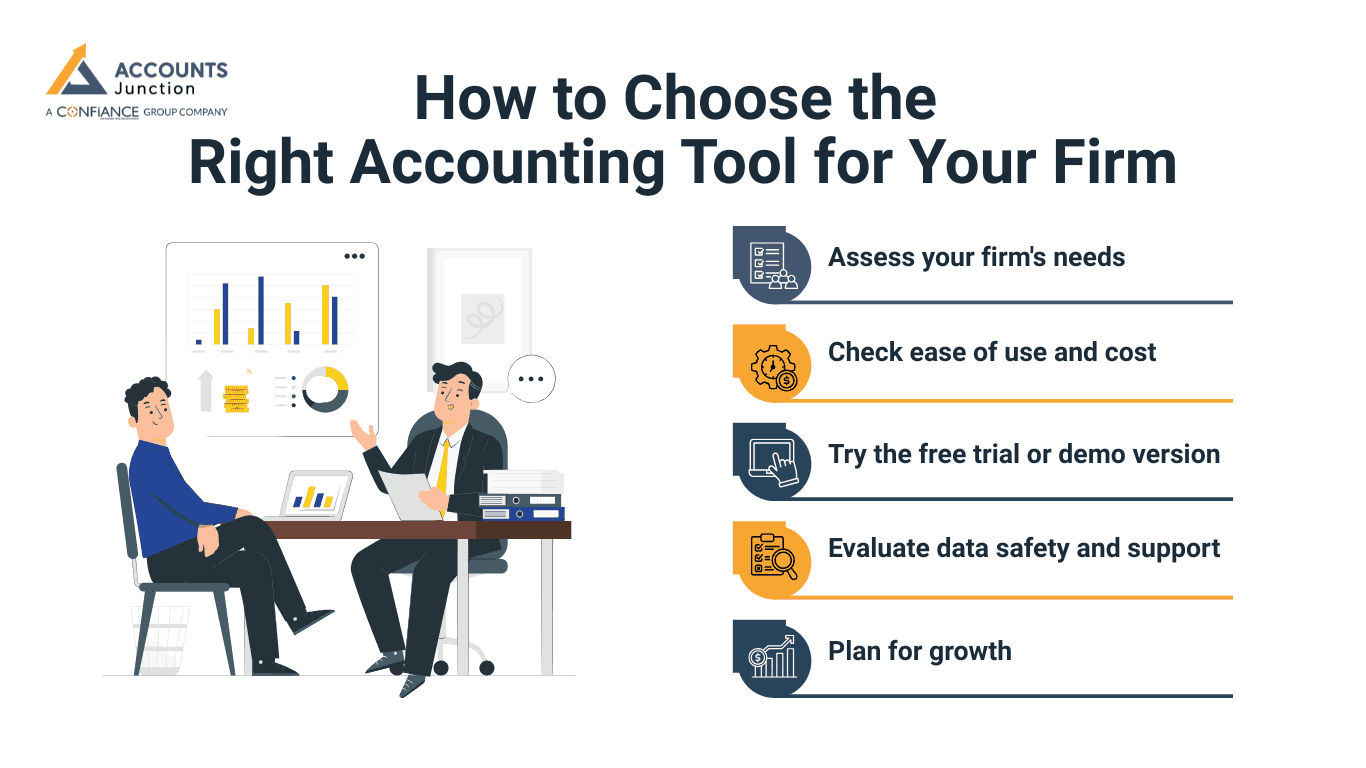
How to Choose the Right Accounting Tool for Your Firm
You may feel unsure. But you can steer the decision by clear steps. You may sketch your firm's needs now. Then you may check what you need later if you grow. Then you compare some tools and test them. Here is a step-by-step path you may follow.
Step 1: Assess your firm's needs
What is your firm's size now? How many transactions per month? Do you deal only with sales or also with payroll or stock? Do you need tax reports? Do you plan to grow staff or client base soon? Write down basic needs.
Step 2: Check ease of use and cost
A complex tool may bring many features, but it may take much time. If you or your team lacks accounting skills, a simple ledger or bill tool may prove better. If cost is a big concern, start with a free or low-fee tool.
Step 3: Try the free trial or demo version
Many tools let you test them before you pay. Use trial time to enter a few entries. Try to make sample invoices or sales. Try to generate a basic report. See if the tool feels right or feels heavy.
Step 4: Evaluate data safety and support
If you store data online, can you trust data safety and backup? If you store locally, can you back up files securely? Does the tool offer help if errors arise? Good support may matter when you face issues.
Step 5: Plan for growth
If you plan to grow, choose a tool that may scale with you. If you hire staff, you may need access control. If you deal with more transactions, you may need automation, report filters, or stock tracking.
By following these steps and consulting a small business accounting software comparison, you may choose a tool that fits well now and grows with your firm.
What a Good Small Business Accounting Software Review Should Tell You
A strong small business accounting software review should give clear ideas beyond marketing claims. Key points include:
-
Ease of Use
Shows if the software is simple to move through and use. It also shows how fast new users can start working with it.
-
User Experience
Shares how real users feel when they use the tool. It may include notes on daily work and overall ease.
-
Cost and Plans
Explains fees, subscriptions, and options to grow with the firm. It also notes hidden costs or extra fees that may come later.
-
Data Security
Shows how safely data is stored and kept backed up. It may cover locks, access rules, and ways to recover lost data.
-
Support Quality
Checks how fast and helpful customer service really is. Many small business accounting software reviews also note the quality of guides and tutorials.
-
Pros and Cons
List the tool’s strengths and limits clearly for choices. It may show features that work well and those that may fail.
-
Performance Context
Shows when the software works well and when it may not. It may also note which business types or sizes it fits best.
-
Learning Curve
Warns if any training or time is needed to use the tool. It may suggest ways to make learning faster and easier for staff.
Tips for smooth tool adoption
When you pick a tool, do not rush. Check a small business accounting software review or comparison first. Take time to set it up. Here are some simple tips for smooth adoption:
-
Start with fresh, clean data
Old records may carry errors. Begin clean or export only verified records.
-
Train the user or team
Even a simple tool may need basic know-how. Use sample entries. Do test billing or expense entries.
-
Backup often
If the tool stores data locally, keep backups. If a tool stores data online, ensure export options.
-
Use consistent naming and record pattern
That helps if you search or filter data later.
-
Track and review regularly
Do monthly or weekly reviews of income and expenses. That helps you catch errors early.
-
Revisit the plan and cost yearly
As you grow, your needs may shift. Plan ahead if you need more features or a bigger plan.
By taking care, you may avoid data loss, messy ledgers, or wrong reports.
How to balance cost and value
Cost matters more for many small firms than features. But value means peace of mind. When you pay a moderate fee for good ease and safe data, the trade may feel worth it. You must weigh your firm's income and future growth. Pay only for those features you may use. Test free or low-cost tools before long contracts. If you grow, be open to paying more. But avoid waste by paying early for tools you may never use.
Accurate money tracking and reports form the base of small business work. Choosing the right accounting tool, guided by a small business accounting software review, lets firms keep records clear, follow rules, and manage cash flow well. Small businesses must check ease, features, cost, and growth fit when picking software. A clear small business accounting software comparison can show which tool fits current needs and growth plans.
Accounts Junction provides accounting and bookkeeping services for small businesses of all sizes. We have certified experts who manage client accounts, maintain clear records, and ensure compliance with financial regulations. Partner with us for reliable financial management and seamless bookkeeping solutions.
FAQs
1. What makes a good accounting tool for a small firm?
- A good tool keeps records simple and safe for users. It tracks income, expenses, and tax details efficiently.
2. Do I need cloud or local software for a small firm?
- Cloud allows remote access and auto-backup with ease. Local stores data on your machine for more control.
3. Can I start with a free ledger tool early?
- Yes, free tools handle small transactions effectively at the start. They may cover initial needs until your firm grows.
4. When should I switch to a full accounting package?
- Switch when clients, staff, or transactions increase significantly. You may need payroll, reports, and multi-user access.
5. Does accounting software save time and reduce errors?
- Yes, automation tracks entries and generates reports quickly. It minimizes manual mistakes and eases monthly closing.
6. Should I back up data even when using cloud software?
- Yes, export backup files offline for extra security. Cloud storage is safe, but an extra backup gives control.